Boost Visual Impact: 5 Advanced Motion Graphics for Video.

In today's visually-driven world, captivating your audience with video isn't just about compelling narratives or stunning cinematography. It's also about the subtle yet powerful enhancements that elevate your content from good to unforgettable. Motion graphics, when applied thoughtfully and creatively, can transform a simple video into an engaging experience. While basic text animations and lower thirds are common, truly standing out requires venturing into more advanced techniques. If you're looking to imbue your videos with a professional polish, a unique aesthetic, or a deeper narrative layer, it’s time to explore the cutting edge of motion design.
At FilmBaker, we understand the profound impact that expertly crafted motion graphics can have on a project. Beyond merely animating elements, advanced techniques allow you to communicate complex ideas, evoke specific emotions, and guide your viewer's eye with unparalleled precision. Let's dive into five sophisticated motion graphics techniques that can dramatically boost the visual impact of your next video project.
Dynamic Disruption & Immersive Realism
Glitch & Datamosh Effects
Forget the clean, crisp aesthetics for a moment. Sometimes, a touch of controlled chaos is exactly what a video needs to grab attention, convey urgency, or create a unique stylistic feel. Glitch effects, characterized by digital artifacts, distorted pixels, and color shifts, instantly add a raw, modern, or even retro-futuristic edge. They’re fantastic for quick transitions, highlighting crucial information, or depicting technological themes. Datamoshing, an even more advanced technique, involves intentionally corrupting video data to create seamless, often surreal transitions where elements from one shot appear to 'melt' or 'morph' into the next. It’s a truly captivating way to move between scenes without traditional cuts.
Practical Tip: Use glitch effects sparingly to maximize their impact. They work wonderfully for short bursts, titles, or to signify a change in mood or reality. For datamoshing, experiment with contrasting visuals for dramatic effect, perhaps transitioning a calm scene into a chaotic one, or vice-versa. Tools like After Effects (with plugins like Datamosh) and even some dedicated online generators can help you achieve these looks. Consider using them in music videos, avant-garde commercials, or to add a distinct "digital age" feel to your corporate videos.
3D Camera Tracking & Integration
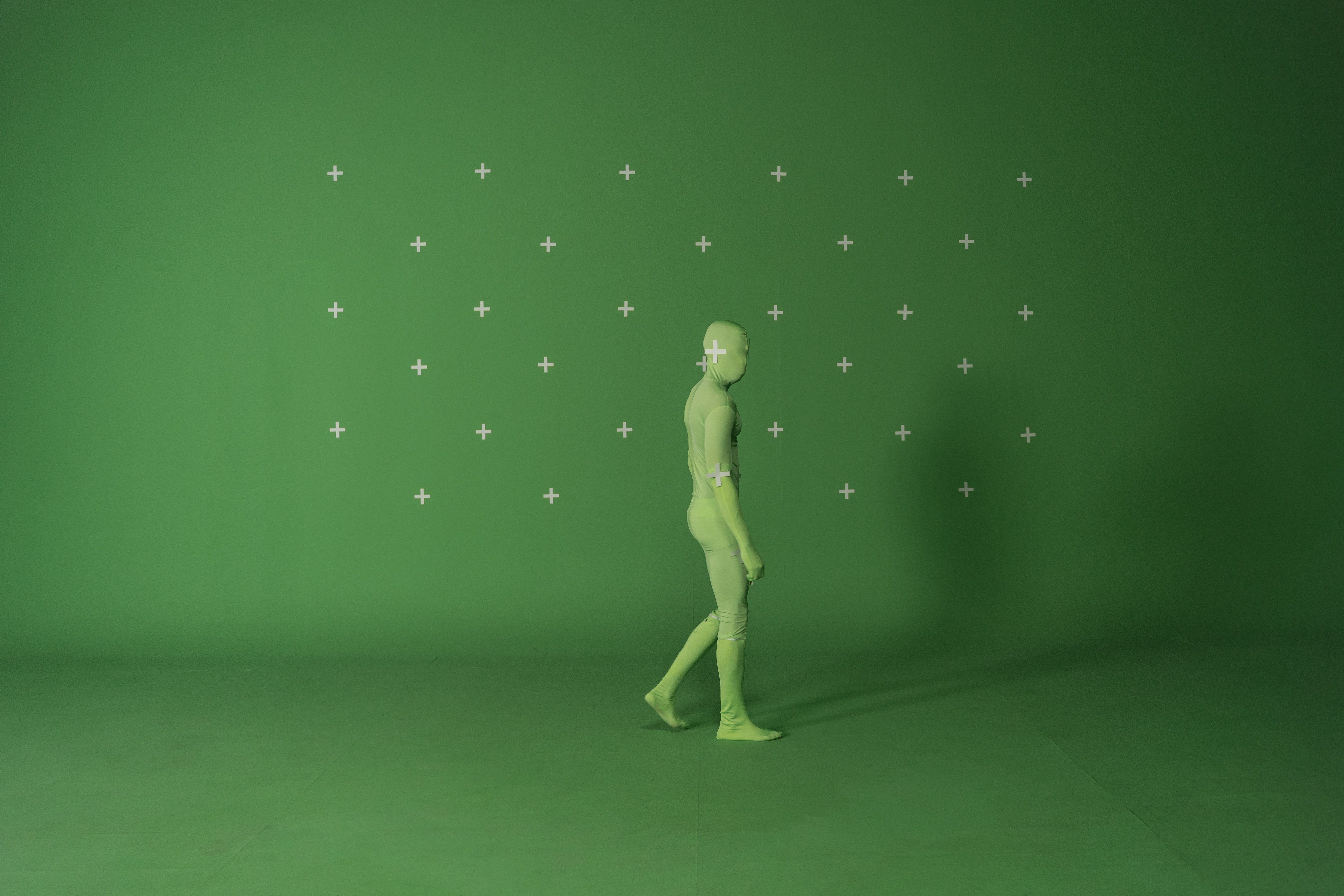
Seamlessly blending 2D motion graphics or 3D elements into live-action footage used to be the exclusive domain of high-budget productions. Thanks to advancements in software, 3D camera tracking (or match moving) is now more accessible than ever. This technique involves analyzing the movement of a camera in a live-action shot and then replicating that movement in a 3D environment. This allows you to convincingly place virtual objects, text, or intricate animations into your real-world footage, making them appear as if they were always part of the scene.
Practical Tip: The key to convincing 3D integration lies in meticulous tracking and realistic lighting/shadows. Ensure your virtual elements match the perspective, scale, and lighting conditions of your live-action plate. Consider adding subtle depth of field and motion blur to the animated elements to further blend them. This technique is invaluable for explainer videos featuring virtual product placements, adding dynamic information overlays to architectural fly-throughs, or creating stunning augmented reality-style experiences within your video content. Software like Adobe After Effects (with its 3D Camera Tracker) and Blender are excellent starting points.
Expressive Storytelling & Ethereal Atmospheres
Advanced Kinetic Typography
Kinetic typography – the art of animating text to express an idea – is a powerful storytelling tool. But beyond simple fade-ins and scale-ups, advanced techniques push boundaries. Think text that morphs organically, characters that interact with their environment, or entire paragraphs that construct and deconstruct themselves in sync with a narration or music. This isn't just about making text move; it's about making it perform, convey emotion, and become a central visual element that reinforces your message on a deeper level.
Practical Tip: Focus on the relationship between your text and the audio (narration, music, sound effects). The timing and style of your animation should complement the tone and rhythm. Experiment with dynamic text reveals, character-level animations, and using masks or mattes to create intriguing text effects. Consider a 3D environment for your text, allowing it to fly through space or interact with objects. This technique shines in promotional videos, educational content, lyric videos, and any project where spoken words are central to the message, transforming mere subtitles into an engaging visual narrative.
Organic & Fluid Particle Systems
Particle systems are a staple in motion graphics, but moving beyond basic fire or smoke emitters opens up a world of ethereal and dynamic possibilities. Advanced particle systems can generate incredibly complex, organic, and fluid visual effects. Imagine swirling galaxies of light, shimmering energy fields, flowing liquid simulations, or intricate biological patterns – all controllable and customizable. These systems are perfect for creating atmospheric backdrops, magical effects, data visualizations, or adding a sense of wonder and dynamism to your visuals.
Practical Tip: Focus on creating natural, unpredictable movements rather than rigid patterns. Experiment with different particle types (sprites, spheres, custom shapes), velocities, lifespans, and physics simulations (gravity, wind, turbulence). Color gradients and subtle glow effects can significantly enhance their ethereal quality. Consider layering multiple particle systems to create depth and complexity. Tools like Trapcode Particular for After Effects, or the particle systems within Cinema 4D or Blender, offer extensive control to create stunning effects for intros, abstract art videos, scientific explainers, or high-tech product reveals.
Flowing Narratives & Visual Alchemy
Seamless Morphing & Liquid Transitions
Transitions are often overlooked, yet they are crucial for maintaining flow and narrative coherence. While cuts and dissolves have their place, seamless morphing and liquid transitions offer an incredibly sophisticated way to move from one scene to the next. Morphing involves smoothly transforming one object or image into another, creating a fluid, almost magical visual bridge. Liquid transitions take this a step further, using fluid simulations or organic wave-like animations to gracefully wash over and reveal the next scene, often with stunning color and light interplay.
Practical Tip: The key to successful morphing is selecting objects or shapes that have some visual relationship, even if abstract. Start with simple transformations before tackling complex ones. For liquid transitions, think about how the colors and textures of the "liquid" can reflect or complement the scenes it connects. These transitions are incredibly effective for creating a dreamy, artistic, or high-end feel in documentaries, fashion films, music videos, or even sleek corporate presentations. They provide a high degree of visual interest and help maintain viewer engagement by making the transitions themselves part of the storytelling.
Conclusion
Incorporating advanced motion graphics into your video projects isn't just about adding visual flair; it's about enhancing clarity, deepening emotional resonance, and delivering a more memorable experience for your audience. By moving beyond conventional animations and embracing techniques like glitch effects, 3D tracking, advanced kinetic typography, fluid particle systems, and seamless morphing, you can elevate your videos to a truly professional and impactful level.
At FilmBaker, we're passionate about helping creators and businesses achieve their visual goals. Whether you're looking for guidance on implementing these techniques or need a professional team to bring your vision to life, we're here to help. Explore the possibilities and make your next video project truly stand out. Get in touch with FilmBaker today!