Mastering Post-Production: 5 Edits That Elevate Videos

Mastering Post-Production: 5 Edits That Elevate Videos
In the vast world of video creation, capturing great footage is just half the battle. The real magic, the transformation from raw clips to a polished, captivating story, happens in post-production. This is where your vision truly comes to life, where the mundane becomes magnificent, and where a good video turns into an unforgettable experience.
Think of post-production as the final sculpting phase for your visual and auditory masterpiece. It’s where you refine every detail, ensuring your message is clear, your emotions are resonant, and your audience remains utterly engaged. Overlooking these critical steps is like serving a gourmet meal without seasoning – it might look okay, but it lacks the flavor and finesse to truly impress. So, let’s dive into five essential post-production edits that don't just finish your video, but truly elevate it.
The Art of Visual Storytelling
1. Color Grading: Painting with Light and Emotion
Color is perhaps the most powerful, yet often subtle, tool in your post-production arsenal. It sets the mood, guides the viewer's eye, and ensures visual consistency across all your shots. Color grading goes beyond simple color correction; it's about artfully manipulating hues, saturation, and luminance to evoke specific emotions and reinforce your narrative. A warm, golden glow can transport viewers to a nostalgic past, while cool blues and desaturated tones might hint at suspense or isolation.
Before you grade, always color correct first. This means balancing whites, adjusting exposure, and ensuring skin tones look natural. Once your footage is technically accurate, then you can unleash your creativity with grading. Don't just slap on a LUT (Lookup Table); understand what it's doing and tweak it to fit your specific footage and vision. Use your scopes (waveforms, vectorscopes, histograms) to objectively analyze your colors and make precise adjustments, ensuring your blacks are deep and your whites aren't clipped.
Practical Tip: Consistency is key. Create a specific look for your project and apply it thoughtfully across all relevant shots. For instance, a corporate video might benefit from a clean, professional, slightly desaturated look, while a travel vlog could thrive with vibrant, punchy colors. Pay attention to how different colors make you feel, and then intentionally apply them to your scenes.
2. Sound Design & Mixing: The Unsung Hero of Immersion
While visuals grab attention, sound holds it. A truly immersive video experience is impossible without meticulous sound design and mixing. Clear, well-balanced audio can elevate even mediocre visuals, while poor sound can ruin the most stunning cinematography. This encompasses everything from crisp dialogue and compelling music to subtle ambient sounds and impactful sound effects (SFX).
Start with cleaning up your dialogue. Remove background noise, hums, and clicks using noise reduction tools. Then, ensure your dialogue levels are consistent and audible throughout. Next, layer in music that complements the mood and pacing of your visuals, making sure it doesn't overpower the dialogue. Finally, add SFX and ambiance – the rustle of leaves, the distant city hum, the click of a door – these small details create a sense of realism and draw your audience deeper into the scene.
Practical Tip: Use EQ (equalization) and compression to refine individual audio tracks. EQ helps to shape the tone, boosting clarity or reducing harshness, while compression helps to smooth out volume inconsistencies, making your audio sound more professional and polished. Always listen on multiple devices (headphones, phone speakers, studio monitors) to ensure your mix translates well everywhere.
Engagement Through Editing
3. Dynamic Pacing & Cutting: Keeping Eyes Glued
The rhythm and flow of your video, dictated by pacing and cutting, are paramount to maintaining viewer engagement. A video with stagnant, overly long shots will quickly lose its audience, no matter how beautiful the imagery. Conversely, a rapidly paced montage can inject energy and excitement, propelling the narrative forward. Dynamic editing is about understanding how to vary your shot lengths and cut points to control the viewer's emotional journey and direct their attention.
Consider the emotional beat of each scene. Intense moments might call for quicker cuts and shorter shots to build tension, while reflective scenes might benefit from longer takes that allow the audience to soak in the atmosphere. Experiment with different types of cuts: a J-cut (audio before visual) or L-cut (visual before audio) can create seamless transitions, linking scenes fluidly. Don't be afraid to cut "on action" – timing your cut precisely as an action is happening to create a smooth, natural progression that feels invisible to the viewer.
Practical Tip: Watch your edit without sound to focus purely on the visual rhythm. Are there any shots that linger too long? Do cuts feel abrupt or jarring? Use B-roll footage effectively to break up long takes, add visual interest, and help mask jump cuts. Cutting to the beat of music can also be a powerful way to enhance pacing, especially in montages or fast-paced sequences.
4. Subtle Visual Effects: The Invisible Polish
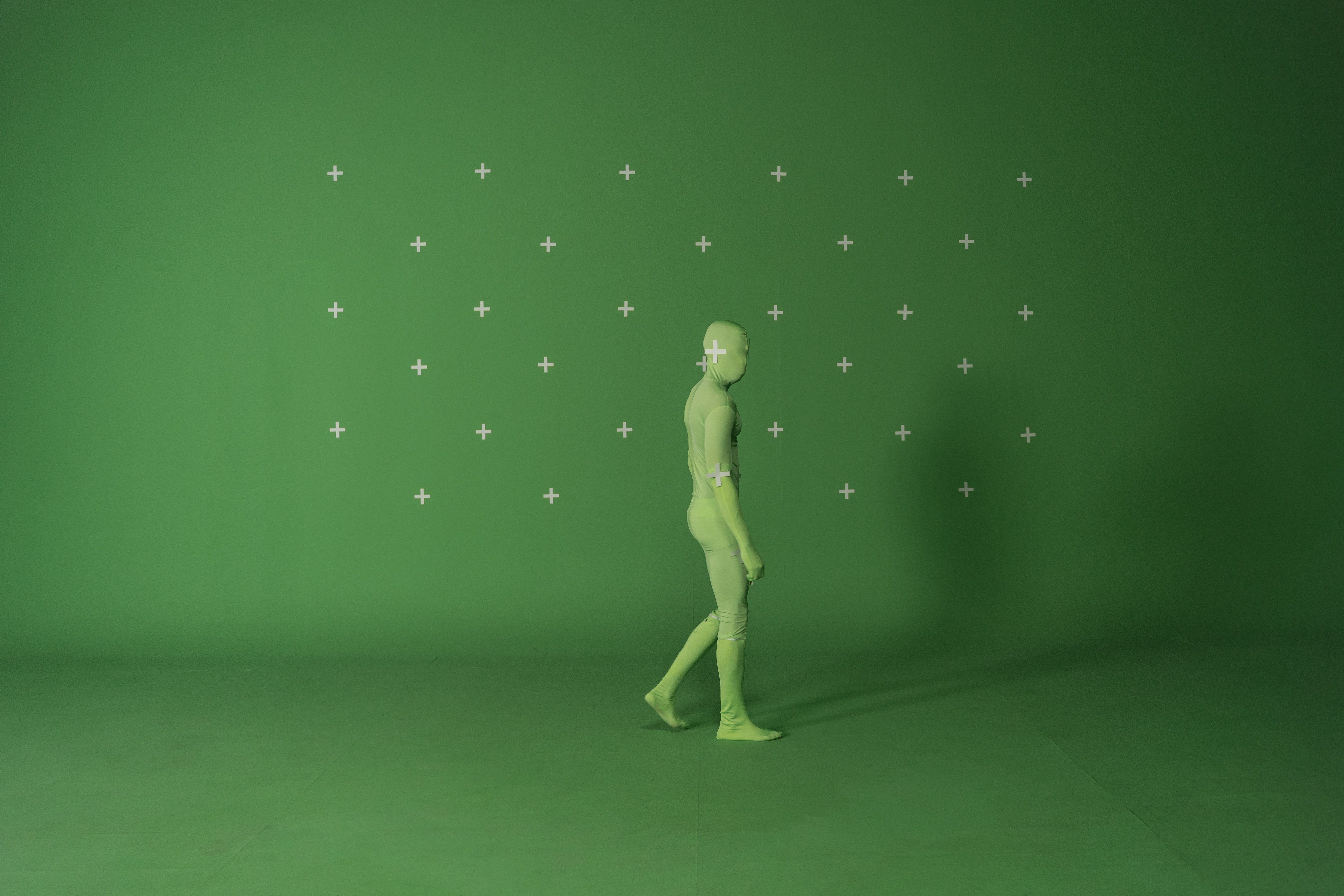
When most people hear "visual effects" (VFX), they often think of explosions or fantastical creatures. However, the most effective VFX in many projects are the subtle, invisible ones that simply enhance reality and professionalism without drawing attention to themselves. This includes things like footage stabilization, object removal (e.g., a stray mic in the shot), screen replacements on phones or monitors, and minor clean-up of imperfections.
These subtle enhancements create a more polished, professional, and believable final product. A shaky handheld shot, even if intentional, can distract from your message; stabilization can smooth it out just enough. Removing an unwanted reflection or a piece of equipment that snuck into the frame makes your video look more meticulously planned and executed. These "invisible" VFX ensure that nothing breaks the viewer's immersion or distracts them from the core content.
Practical Tip: Less is often more with subtle VFX. The goal is to make your footage look better, not to showcase the effects themselves. Learn basic tracking and masking techniques in your editing software to seamlessly integrate screen replacements or remove small unwanted objects. Always prioritize realism – if an effect looks fake, it will detract from your video, no matter how minor.
Clarity and Branding
5. Text & Graphics: Information and Impact
Beyond the core visuals and audio, well-designed text and graphics are crucial for conveying information, reinforcing your brand, and adding an extra layer of professionalism. This includes everything from lower thirds identifying speakers, titles introducing sections, on-screen captions, and animated intros or outros. They provide context, clarify complex ideas, and ensure your message is accessible and memorable.
Effective text and graphics should be legible, concise, and visually consistent with your overall brand or video style. Choose fonts that are easy to read and complement your content. Use motion graphics sparingly but strategically to highlight key points, introduce sequences, or present data in an engaging way. An animated logo reveal or a dynamic lower third can instantly elevate the perceived quality of your production.
Practical Tip: Prioritize clarity and avoid clutter. Too much text or overly busy animations can distract and overwhelm. Ensure your text has sufficient contrast against its background and stays on screen long enough to be read comfortably. If creating graphics for a brand, stick to their established color palette, fonts, and logo guidelines to maintain a cohesive and professional appearance.
Conclusion: The Power of Post-Production
Mastering post-production isn't about knowing every single button in your editing software; it's about understanding how these five key areas—color grading, sound design, dynamic pacing, subtle VFX, and impactful graphics—work together to tell your story more effectively. Each of these elements, when applied thoughtfully and skillfully, has the power to transform raw footage into a compelling, professional, and unforgettable video experience.
So, next time you sit down to edit, remember that post-production is where your true artistry shines. Experiment, learn, and never underestimate the transformative power of a well-executed edit. If you're looking to elevate your video projects further or need expert assistance in bringing your vision to life, don't hesitate to reach out. Visit FilmBaker.com/get-in-touch to learn how we can help you craft stunning, professional videos that truly stand out.